There are Few Easy Step that can you follow to change your old looking WordPress Favicon to Your Own.
 Click On Appearance Form dashboard of WordPress Site. Then
Click To Customize Then >
Site Identity Then > Select Image Form Your Gallery.
Done…


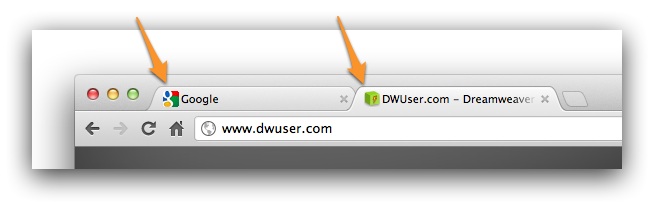
There are Few Easy Step that can you follow to change your old looking WordPress Favicon to Your Own.
Click On Appearance Form dashboard of WordPress Site. Then
Click To Customize Then >
Site Identity Then > Select Image Form Your Gallery.
Done…

<!-- Global site tag (gtag.js) - Google Analytics -->
<script async src="https://www.googletagmanager.com/gtag/js?id=UA-0000000-1"></script>
<script>
  window.dataLayer = window.dataLayer || [];
  function gtag(){dataLayer.push(arguments);}
  gtag('js', new Date());

  gtag('config', 'UA-000000-1');
</script>

To enable the Network Setup menu item, you must first enable multisite in the wp-config.php file.
Open up wp-config.php and add this line above where it says /* That's all, stop editing! Happy blogging. */. If it doesn’t say that anywhere, then add the line somewhere above the first line that begins with require or include:
/* Multisite */ define( 'WP_ALLOW_MULTISITE', true );
You will need to refresh your browser to continue.